Included
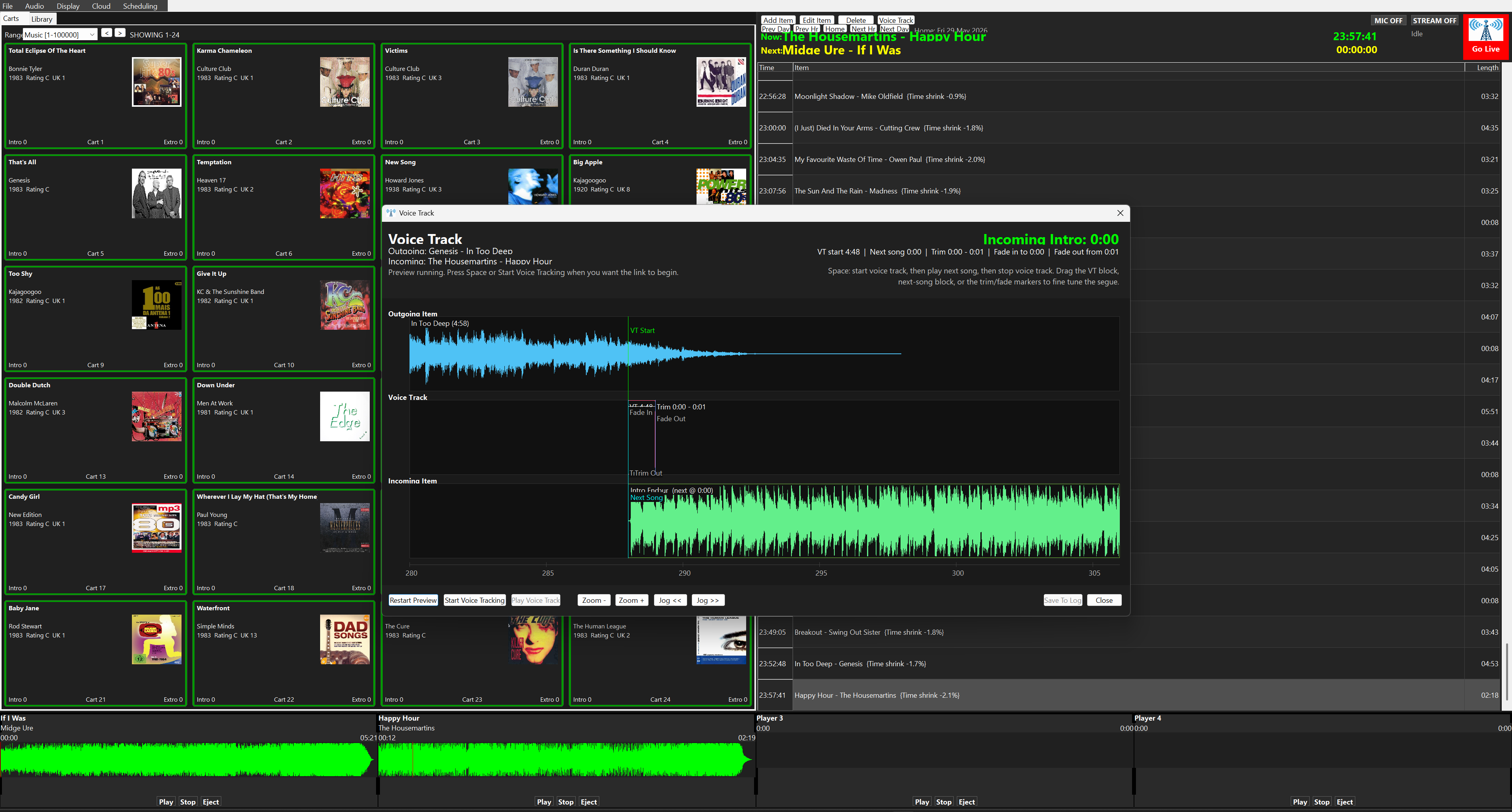
Voice Tracking
Record only the links between songs, preview the segue, trim the voice track and save it into the log.
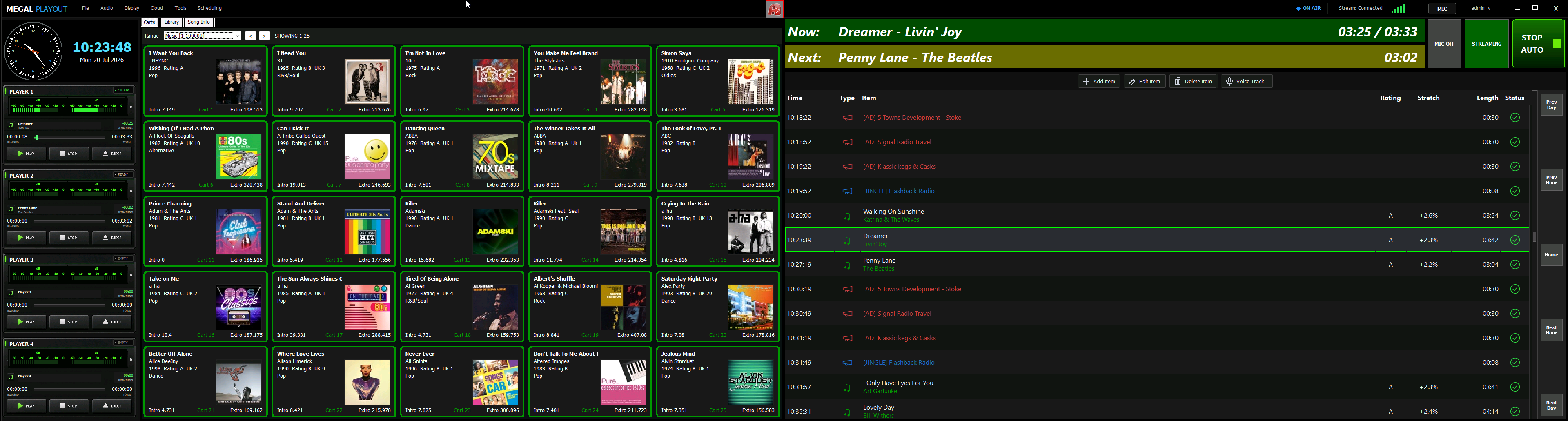
Live-assist and automated radio playout system
Windows 10 or later is required to install Megal Playout.
Connect to your studio PC with Megal Remote: live screen control, two-way audio and real-time voice tracking for authorised DJs in your business.
Open Megal RemoteRecord only the links between songs, preview the segue, trim the voice track and save it into the log.
Pair studio machines with the Remote portal for authorised screen control, two-way audio and voice tracking.
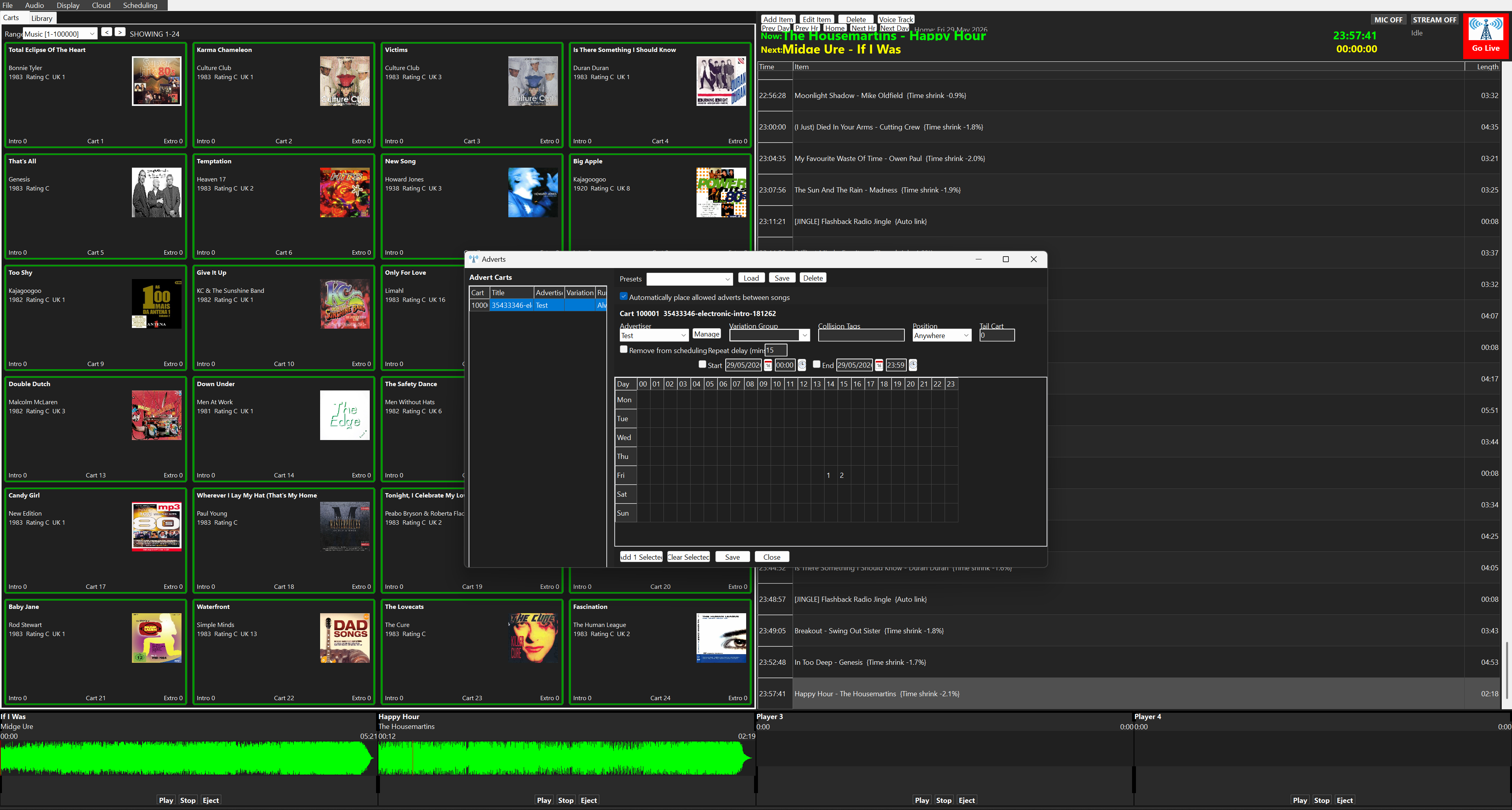
Manage advertisers, run windows, advert carts, repeat delays, collision tags and automatic placement.
Use four player decks with waveform display, intro timing, play, stop and eject controls.
Put jingles, beds, IDs and promos into cart ranges for fast presenter-driven playback.
Create shows, manage clocks and populate logs for repeatable hour-by-hour station automation.
Batch import audio, edit metadata, manage covers and prepare carts for scheduling or live use.
Configure stream output and internet metadata so listeners see accurate now-playing information.
Use presenter login and user management to keep everyday operation separated from admin tools.
Megal Playout uses simple monthly licensing. Start with a 7-day trial, then subscribe the first playout machine and add extra machines to the same account as needed.
Live assist, scheduling, carts, adverts, voice tracking, online licensing and updates for the first machine.
Add a production, backup or second studio computer to the same billing email at the lower rate.
Enter the email address and machine code shown inside Megal Playout. The checkout confirms the right plan before the PayPal subscription starts.
Tour the live decks, schedule log, cart ranges and online activation flow.
See how presenters can record links and prepare commercial breaks before broadcast.
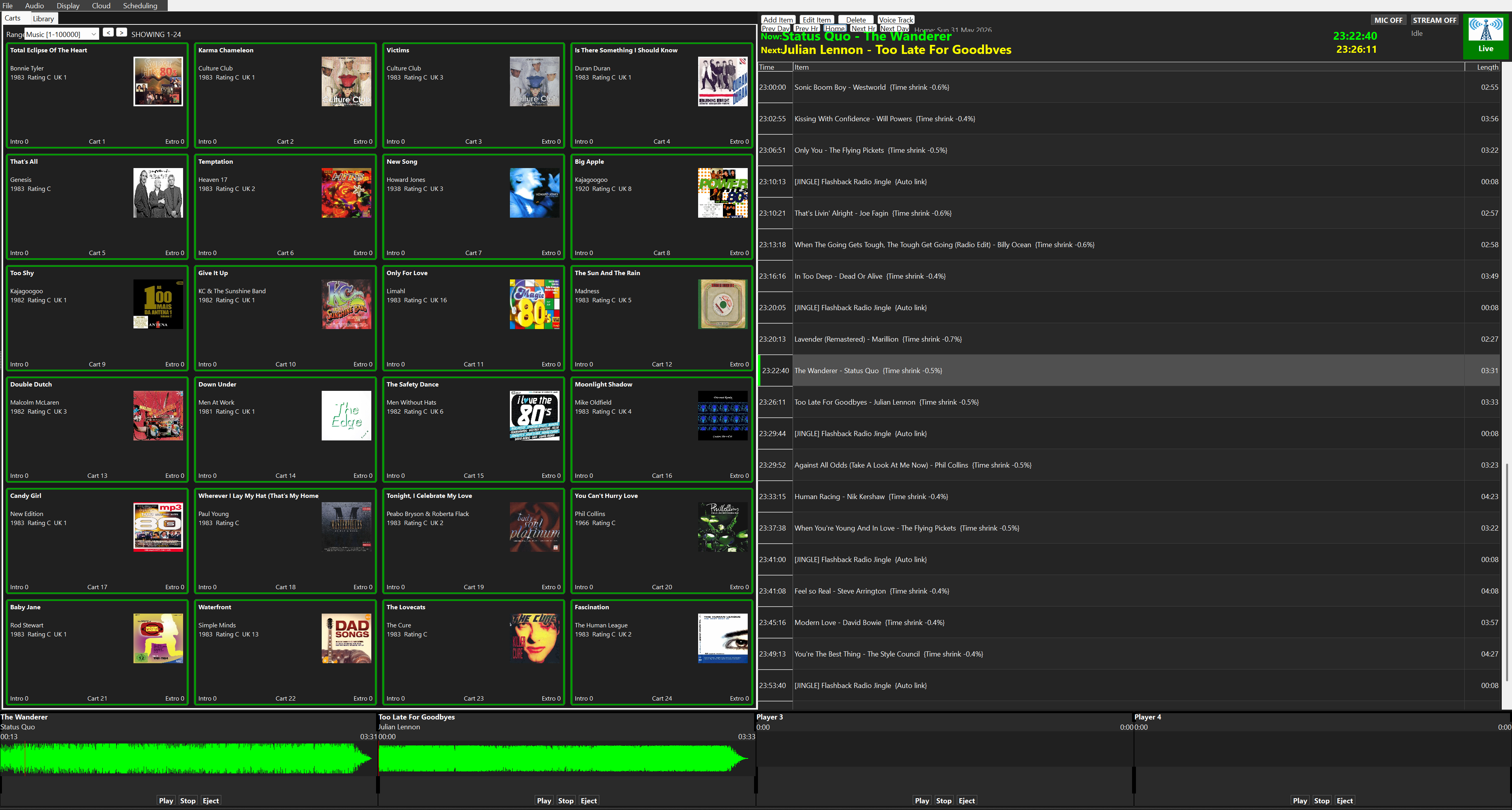
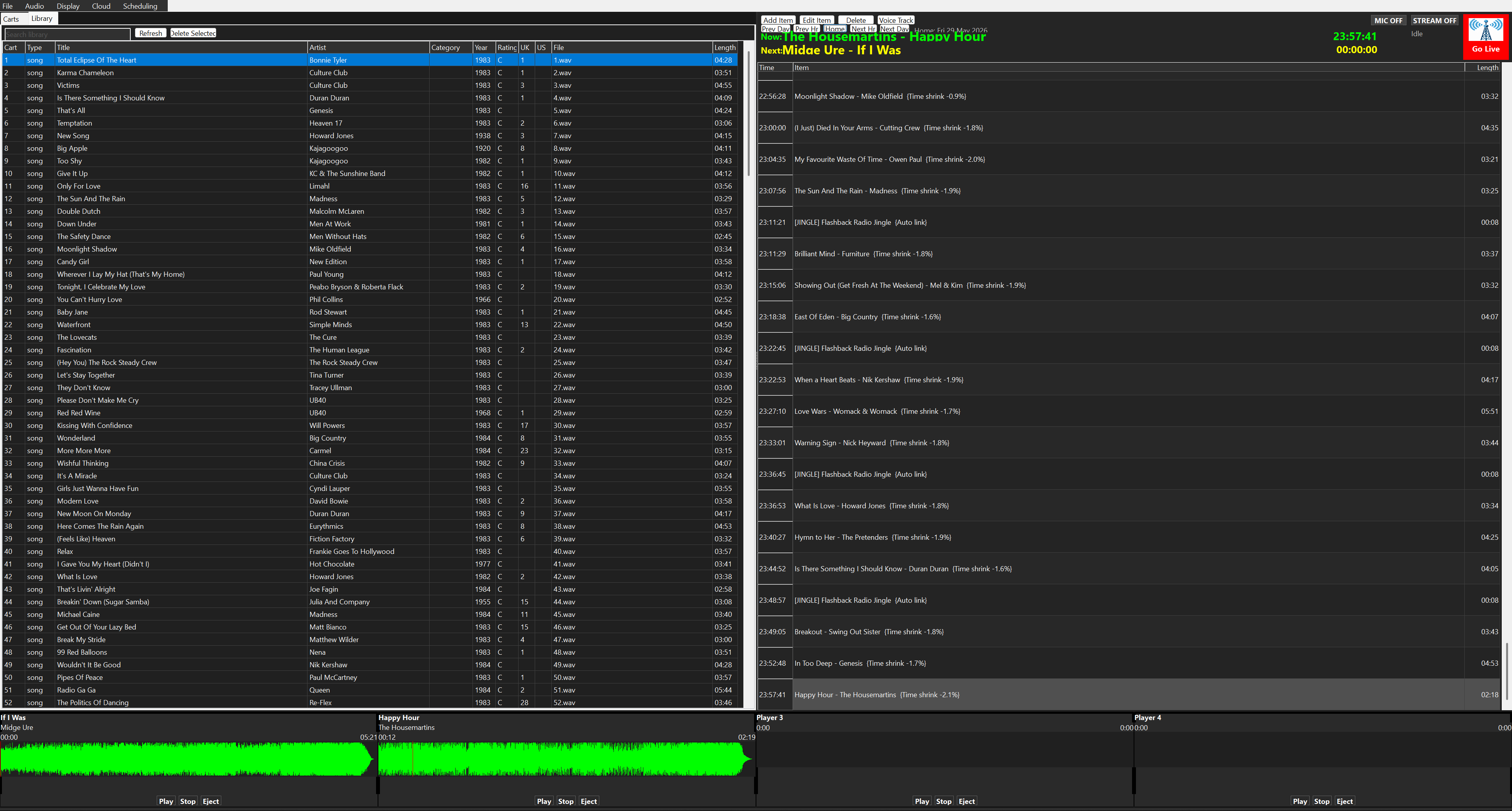
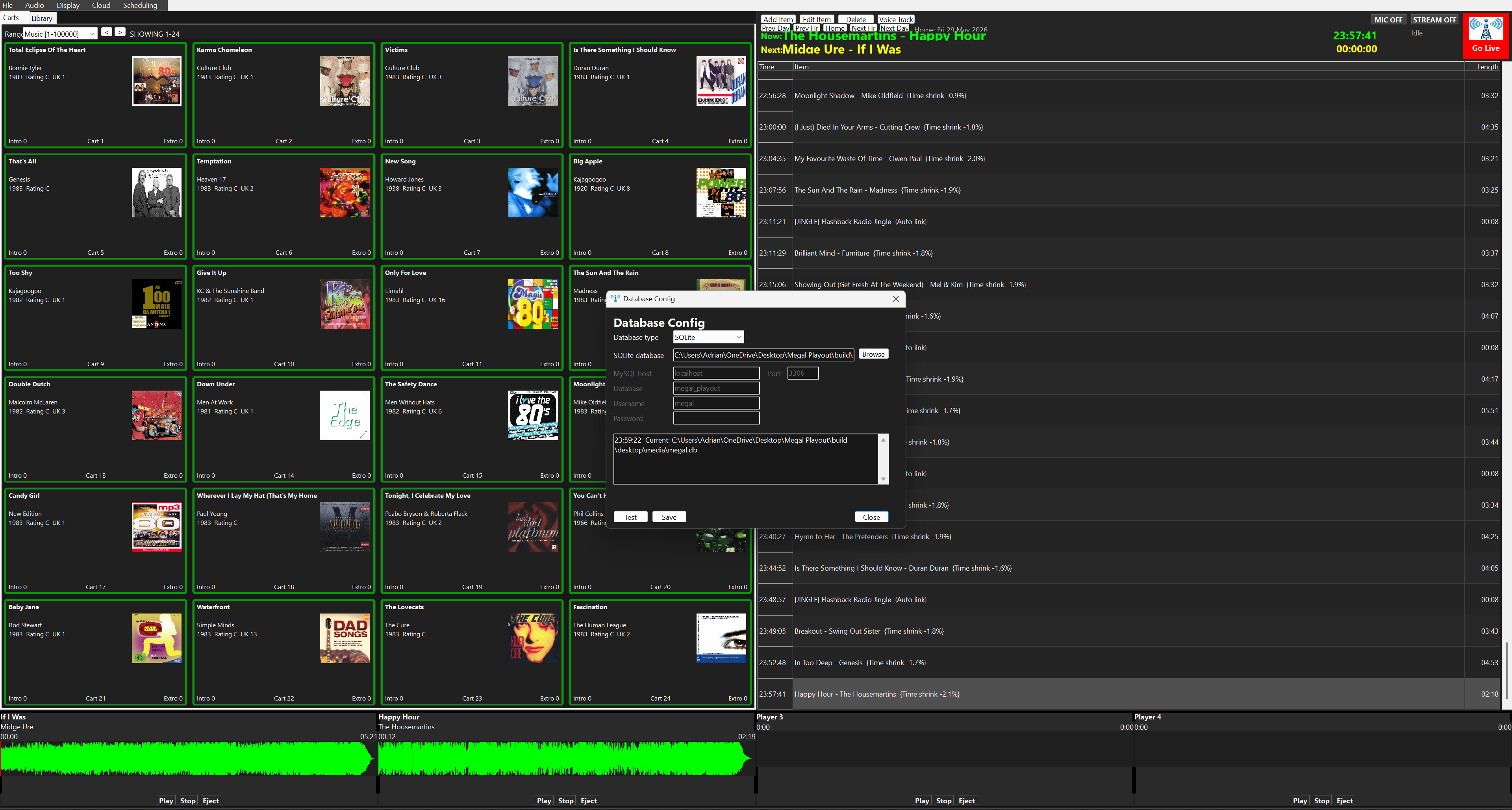
Community and online stations can keep a clean live-assist screen open while automated clocks handle the rest of the day.
Live shows and automationProduction teams can prepare voice links, carts and adverts before the presenter steps into the studio.
Pre-recorded programme prepMulti-machine setups can share account licensing while Remote tools report station status and connected machine activity.
Studio and backup machinesMegal Software can help with licensing, setup and station onboarding. Include your station name, machine code and Megal Playout version when asking for support.